The MCP
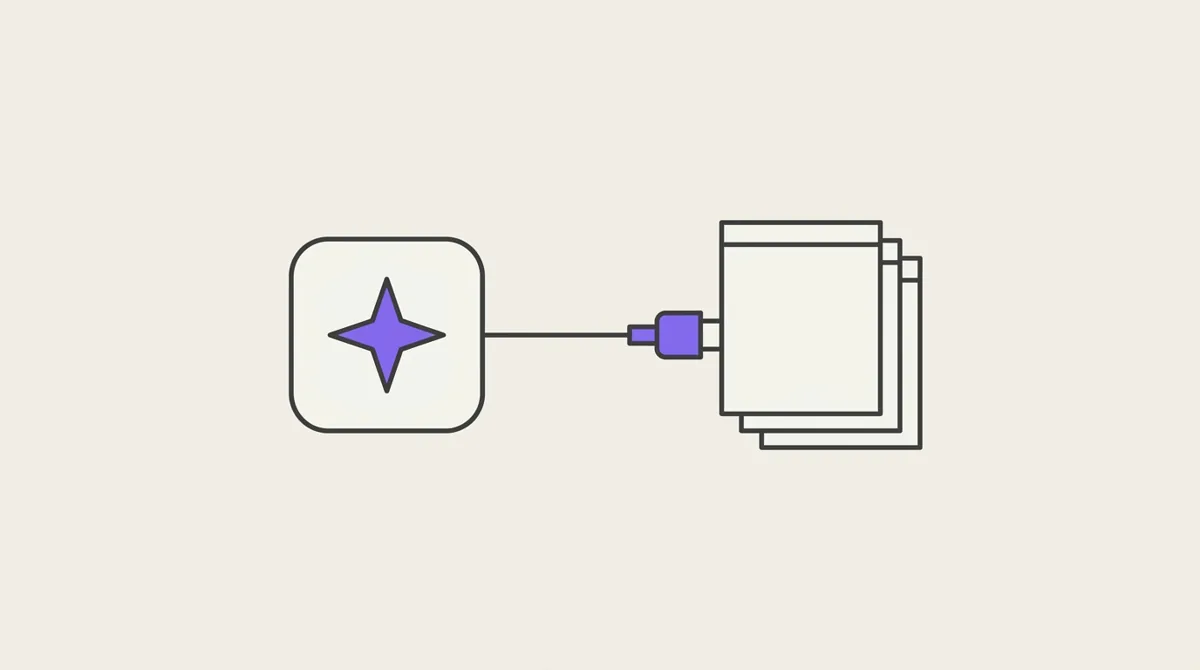
The Potion MCP lets an AI assistant work directly in your workspace: find and write notes, tag them, set properties, build views, set up the graph, read attached files, and design html blocks. It uses the Model Context Protocol, so any client that supports MCP servers can connect — Claude, Cursor, VS Code, Zed, and others. Potion is not tied to one assistant.
This page covers connecting, how the tools behave, and every tool by area. For what the things themselves are, start with Concepts.
This page is also available as plain Markdown at /docs/mcp.md.
Connecting
- Server URL:
https://mcp.potion.run(Streamable HTTP) - Sign-in: OAuth with the Google account you use for Potion. Your assistant opens the sign-in page the first time.
- Plan: Pro. On another plan every tool answers with an upgrade message, except
get_user_info.
How you add it depends on the client. The server URL is the only part that matters; everything else is that client's own shape.
Claude Code: claude mcp add --transport http potion https://mcp.potion.run, or install the Potion plugin, which bundles this server with skills describing how Potion works.
Claude desktop, claude.ai, and other hosted assistants: add a custom connector with the server URL above.
Cursor, VS Code, Zed, and most editors: add it to the MCP server list in settings, as an HTTP server pointing at that URL.
An agent reading the docs: point it at /llms.txt, which lists every section as Markdown, or /llms-full.txt for all of them in one file.
Anything else: a config like this one.
{
  "mcpServers": {
    "potion": { "type": "http", "url": "https://mcp.potion.run" }
  }
}
Choosing the workspace
Every tool works in one workspace at a time. Without anything extra that is your default workspace, which set_default_workspace changes.
To pin a connection to a specific workspace, for example one per project folder, send a workspace header with the workspace's name:
{
  "mcpServers": {
    "potion": {
      "type": "http",
      "url": "https://mcp.potion.run",
      "headers": { "workspace": "Research" }
    }
  }
}
The header matches by name, so renaming that workspace breaks the connection until the header is updated.
How the tools behave
Everything is scoped to you and one workspace. The server knows who you are from sign-in; no tool takes a user id, and the database itself refuses any row that is not yours.
Names in, ids out. Tools accept the names people use (tag names, property keys, preset and lens names, note aliases) and return ids for precise follow-up calls. A name that does not exist is refused with a list of what does, never guessed at.
Changing is not rewriting. Notes, view filters and lens scopes each have a precise tool for a small change beside the one that replaces everything:
| To | Precise | Replaces all |
|---|---|---|
| change a note | append_to_note (add), edit_note (one passage) | update_note |
| change a view's filter | edit_view_filter (one condition, by id) | update_view with filter |
| change a lens's scope | edit_lens_scope (one condition, by id) | update_lens with scope |
The precise tools exist because an AI resending a whole note or filter can quietly change the parts it was not asked about.
Destructive actions are guarded. Deleting a note moves it to the trash for 30 days. delete_property_def previews what would be lost and only deletes when called again with confirm. A property still used by a view, preset or lens is refused, with the names of what uses it. Workspaces cannot be renamed or deleted through the MCP at all, and neither can a structure be deleted (it takes every row with it); both are done in the web app.
Errors explain themselves. A refused call returns success: false, an error saying why, and often the next step to take.
Tools
Workspaces and account
| Tool | Does |
|---|---|
get_user_info | who is signed in |
list_workspaces | your workspaces, and which is the default |
get_default_workspace | the workspace tools use when no header is sent |
set_default_workspace | change it |
create_workspace | a new, empty workspace |
init_workspace | create a first workspace if there is none |
get_context | the headers the server received, to check a workspace header |
Notes
| Tool | Does |
|---|---|
find_note | find a note you named, checking aliases first, then titles |
list_aliases | every note that has an alias |
read_note | a note with its tags, properties, files, and links in both directions |
list_notes | the 30 newest notes |
create_note | a new note, with tags, alias, cover and pin |
append_to_note | add text to the end, optionally under a heading |
edit_note | replace one exact passage |
update_note | replace the title, body or tags (guard with if_unchanged) |
delete_note | move a note to the trash |
list_revisions | earlier versions of a note, kept 7 days |
restore_revision | put an earlier version back (itself undoable) |
upload_image | store an image, from a public URL, an upload (upload_id) or as data, and get its permanent address /api/images/<id> for a body, a cover, or a property a block inlines |
Search
| Tool | Does |
|---|---|
search_notes | ranked full-text search: titles, then tags, then text; "phrases" and -exclusions |
search_notes_by_tags | notes with all, or any, of some tags |
search_notes_by_property | compare, sort and find missing values: rating gt 7, status eq unread, rating empty |
Links
| Tool | Does |
|---|---|
list_note_links | what a note links to, and its backlinks |
lint_links | links to notes not written yet, and notes nothing links to |
get_agenda | what is unfinished in the workspace, ranked, each with a suggested next call |
Tags
| Tool | Does |
|---|---|
list_tags | every tag with its note count and linked tags |
link_tags | adding one tag also adds others, including on notes already tagged |
unlink_tags | remove those rules (tags already applied stay) |
list_tag_links | the rules, and why a tag appeared on a note |
Tags are created by using them on a note; there is no separate create step.
Properties
| Tool | Does |
|---|---|
list_property_defs | the workspace vocabulary, with how many notes and views use each |
create_property_def | define a typed property: text, number, date, bool, select, json |
update_property_def | rename, relabel, reorder, or widen a select's options |
delete_property_def | preview, then with confirm delete a property and every value of it |
set_property | set or clear one property on one note |
Views
| Tool | Does |
|---|---|
list_views | every view with its filter, sort and display |
read_view | one view and the notes it matches, in its order |
create_view | a feed view (filter, sort, display) or a note view |
update_view | change the name, filter, sort, display, cover, colour, icon or pin |
edit_view_filter | add, replace, remove, regroup or move one condition |
delete_view | delete the view (not its notes) |
The filter these take is described in Filters and views.
Graph
| Tool | Does |
|---|---|
list_lenses | every lens, its scope summary, settings, and a link to open it |
read_lens | one lens with node ids and how many notes its scope holds |
create_lens | name, scope, and only the settings that differ from the defaults |
update_lens | rename, replace the scope, change some settings, make default, reorder |
edit_lens_scope | change one condition of the scope, like edit_view_filter |
delete_lens | delete the setup; the next lens becomes default if needed |
A lens is a saved way of looking at the graph. See Graph.
Records
Structured rows that are not notes — a weight on a date, a rating, a logged idea. They appear in no note surface, and exist to be queried and charted.
| Tool | Does |
|---|---|
list_structures | the shapes that exist, what each is for, and its fields. Call it first |
create_structure | declare a shape before any row of it exists; a file field takes a file's id, and a record field takes a row's id of the structure named in structure; a field can be required and unique (one row per value), a number can carry a unit and min / max, any field a display label; unique_together makes one row per combination; max_rows: 1 makes a settings object whose write replaces its one row, max_rows: N caps a list; immutable makes rows written once, never edited |
update_structure | change the description or label, add a field or a choice, turn unique on or off, set max_rows, or turn immutable on or off. Tightening a rule (required, unique, removing a choice, a lower max_rows) is refused while rows disagree; renames, retypes, removals and a changed unit are refused |
write_record | add one row, or many at once. Refuses an unknown structure; names every missing required field at once; refuses a unique value already taken, naming the row, unless on_conflict: "update" updates that row instead (a batch is all or nothing: one bad row writes none, and is named); after a write, lists the optional fields left empty so the assistant can offer to fill them |
list_records | the rows of one structure, filtered, sorted and paged; every row carries its permanent id, and a filter on id pulls one |
summarize_records | count, sum, average, min and max of a number field, computed by the database: whole, per day/week/month/year, or per value of a field |
update_record | correct one row; a partial change is merged and re-validated |
delete_record | remove one row (soft) |
A record cannot exist before its structure, and field changes are additive only. See Record.
| Tool | Does |
|---|---|
list_webhooks | the subscriptions on the workspace's structures: URL, events, narrowers, on, off or paused |
create_webhook | subscribe a URL the user gave to a structure; narrow it with filter (rows that match) and fields (updates to those fields). Answers with the signing secret, once |
update_webhook | change the URL, events, filter or fields; turn it off or on; resume after a pause |
delete_webhook | unsubscribe |
list_webhook_deliveries | what was sent and how the receiver answered; send_test queues a test event first |
How events are sent and signed: Webhooks.
Presets
| Tool | Does |
|---|---|
list_presets | every preset with what it sets and asks |
read_preset | one preset in full, by id or name |
create_preset | tags, fixed values, and values to ask for |
update_preset | change it (lists passed replace the whole list) |
delete_preset | delete it; notes it was applied to keep their tags and values |
apply_preset | apply to a note, with answers for its questions |
Tasks
A task is one AI job you start on an open note from its Tasks menu, run on your own AI account: a name, a kind, and the instructions the model is given every time. An assistant can write tasks for you here; it cannot run one, because running needs your AI key, which the MCP never holds. See Tasks.
| Tool | Does |
|---|---|
list_tasks | the tasks you wrote, the built-in ones (listed, not editable here), and the kinds with what each may do |
create_task | a name, a kind and instructions, with an optional description and model |
update_task | change the name, description, instructions or model, by id or name; the kind never changes |
delete_task | delete a task you wrote, by id or name; no note is touched |
| Kind | May |
|---|---|
write | read the note and write text, appended to the end of the note when it is done |
speak | read the note and say its answer aloud; nothing is kept |
watch | watch the YouTube video the note holds and write text, appended to the note when it is done |
A kind that writes only appends to the note it was started on; no kind edits what is there, reads another note or reaches the network, and instructions cannot widen that. A workspace holds 30 tasks; a name is 60 characters and unique, a description 140, instructions 2,000.
Layouts
| Tool | Does |
|---|---|
list_layouts | every layout, or the ones that fit a note or preset |
read_layout | its html and the notes using it |
create_layout | from html, or lifted from a note's block |
update_layout | change it, which changes every note using it |
apply_layout | make a note render through a layout |
detach_layout | give a note its own copy instead of the reference |
load_live_layout, read_live_layout, write_live_layout, publish_live_layout | work on a draft in the web app's live editor, then publish it |
Html blocks
| Tool | Does |
|---|---|
list_block_libraries | the libraries a block may load, and when to use each |
read_block_data_api | the full Block Data API reference |
Files
| Tool | Does |
|---|---|
upload_file | add a file you send (PDF, EPUB, DOCX, markdown, text, HTML, CSV, JSON), as an upload (upload_id) or as data: attached to a note, or to the workspace alone when note_id is left out |
start_upload | get a one-time link to send a file from your machine, so its bytes never pass through the conversation (see below) |
fetch_file | attach a file straight from a public URL |
list_files | files, attached or kept in the workspace alone: their status and storage used |
describe_file | a file's outline and opening, to decide what to read |
read_file | its text by pages, section or chunks |
search_file | full-text search inside attachments |
rename_file | rename it; [[file:…]] references follow |
process_file | run text extraction again |
delete_file | delete a file and its text |
Sending a file without typing it
Every argument of a tool call is written out by the model, so a long page or a binary file cannot sensibly travel inside one. start_upload moves the bytes over plain HTTP instead:
start_upload({ kind })returns anupload_id, a link and a readycurlcommand.kindistext(up to 2 MB),image(10 MB) orfile(50 MB).- Send the file to the link with one
PUT, headers unchanged. The link works once, for ten minutes. - Use the id: write
{{upload:<upload_id>}}in thecontentofcreate_note,update_noteorappend_to_note(inside an html fence for a page), or passupload_idtoupload_imageorupload_file.
- An upload is used once and then removed; one that is never used is deleted after an hour. A person may have ten waiting at a time.
- Pass the file's
sha256tostart_uploadand anything else sent to the link is refused: the link is the only credential, and it appears in the conversation. - A note built from uploads may hold 2,097,152 characters at most. The tool then answers with the note's length and not its content;
read_notereturns it. - Uploaded text is the note's content like any other: an html block still runs in the sandbox, with no network.
Sidebar
| Tool | Does |
|---|---|
list_quick_access | the notes pinned to the sidebar, in order |
add_to_quick_access | pin a note, with an icon and colour |
update_quick_access | change a pin's icon or colour |
remove_from_quick_access | unpin it |
Good first requests
- "What's in my Potion?" — the assistant lists workspaces, views and tags.
- "Save this article to Potion with the Article preset."
- "Make a view of films I rated 8 or more, best first."
- "Make a lens of my Rust notes with their tags, and give me the link."
- "Write me a task that lists the action items of a note as a checklist."
- "Which of my notes link to Machine Learning?"
- "Read the PDF on my Research note and summarise chapter 3."